
n8n GEO Automation: Run Website Scans and Retrieve Audit Reports in Your Workflows
Our verified n8n integration brings website assessments and structured report data into your automated workflows. Start with a free lite scan, run full scans when needed, and reuse existing reports.

GEO Search Leads is now available as a verified node in n8n, giving you a direct way to add website assessments to automated workflows. Instead of building individual HTTP requests yourself, you can connect your existing account, run supported scan operations, and send returned data to later workflow steps.
This update is designed for teams that want to assess a website as part of an intake, research, qualification, reporting, or notification process. The node returns structured data that n8n can map, filter, store, and pass between connected services.
What the verified n8n node supports
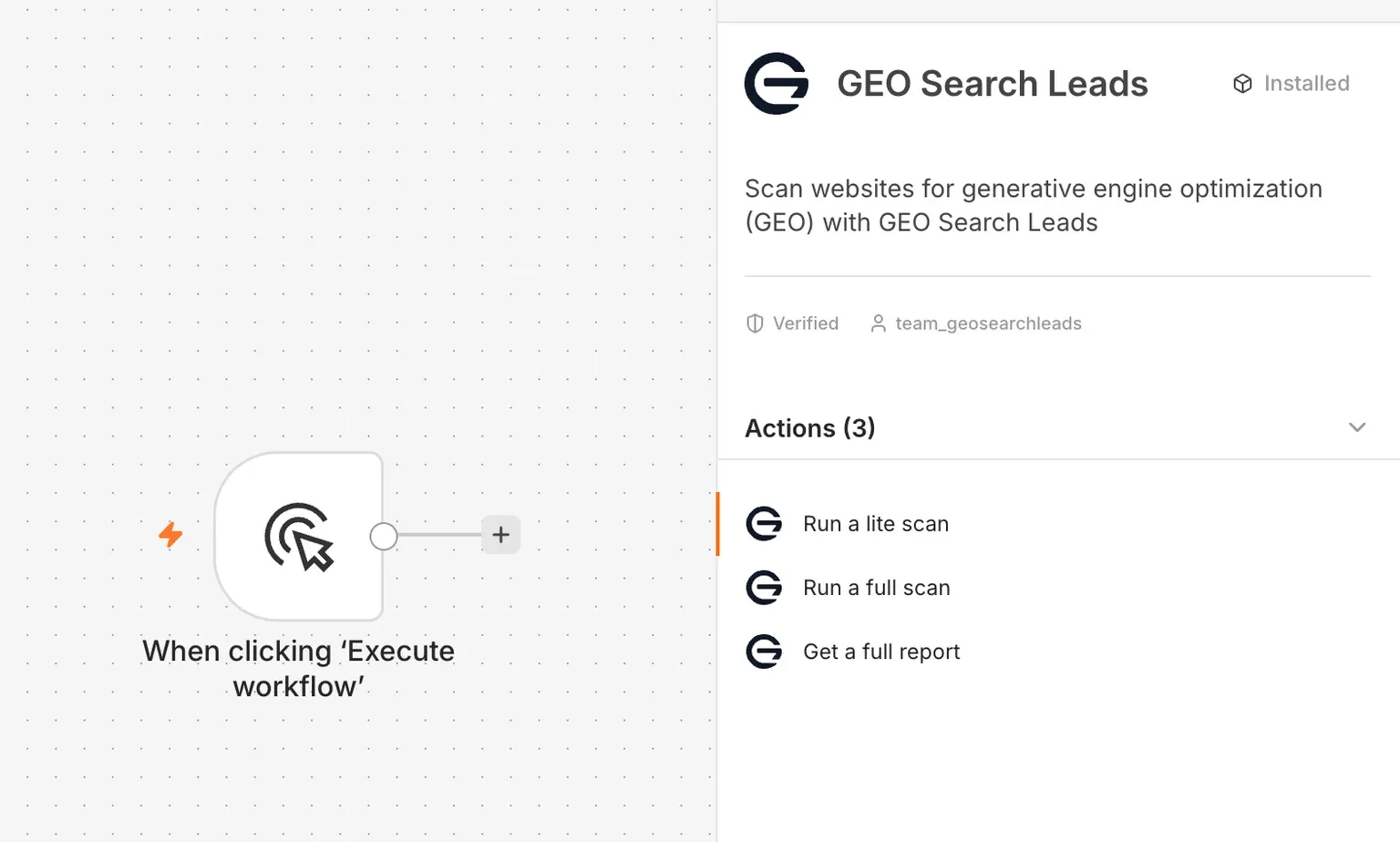
The integration currently provides three actions. Each action has a distinct purpose, particularly when deciding whether to spend a scan credit.
| Action | Purpose | Scan-credit cost |
|---|---|---|
| Run a lite scan | Runs an initial website assessment and returns the available score breakdown. | Free |
| Run a full scan | Runs a detailed website assessment and returns available report analysis. | 1 credit |
| Get a full report | Retrieves the available report from an existing scan by its scan identifier. | Free |
“Free” means the action does not use scan credits. Any n8n hosting, execution, or other connected-service costs remain separate.
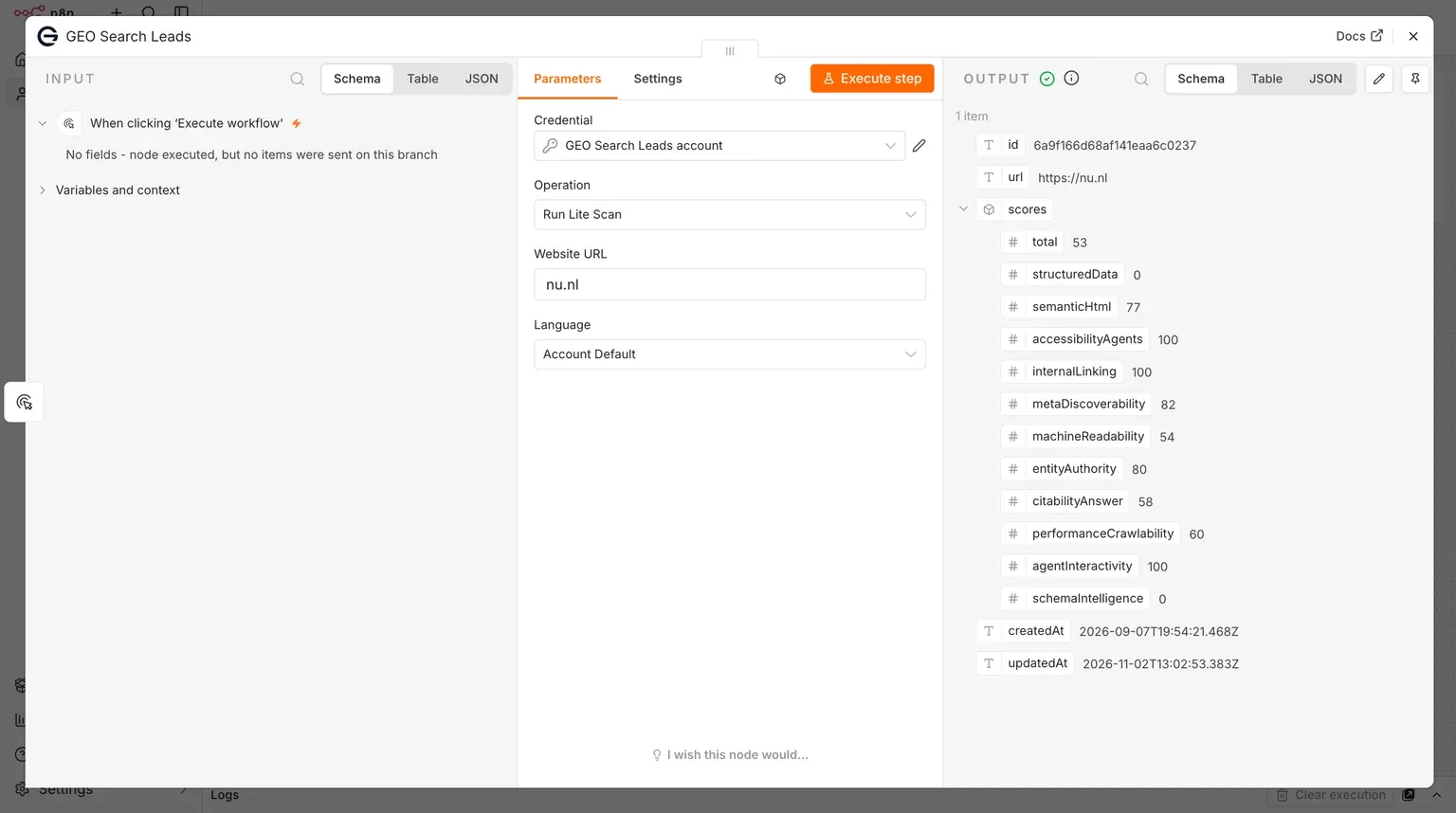
A lite scan is a practical first check when a workflow receives a new website URL. Its returned data can include a scan ID, URL, timestamps, and a scores object with a total and category-level values. Use it to review available signals or to decide, through a condition in the workflow, whether a deeper assessment is appropriate.
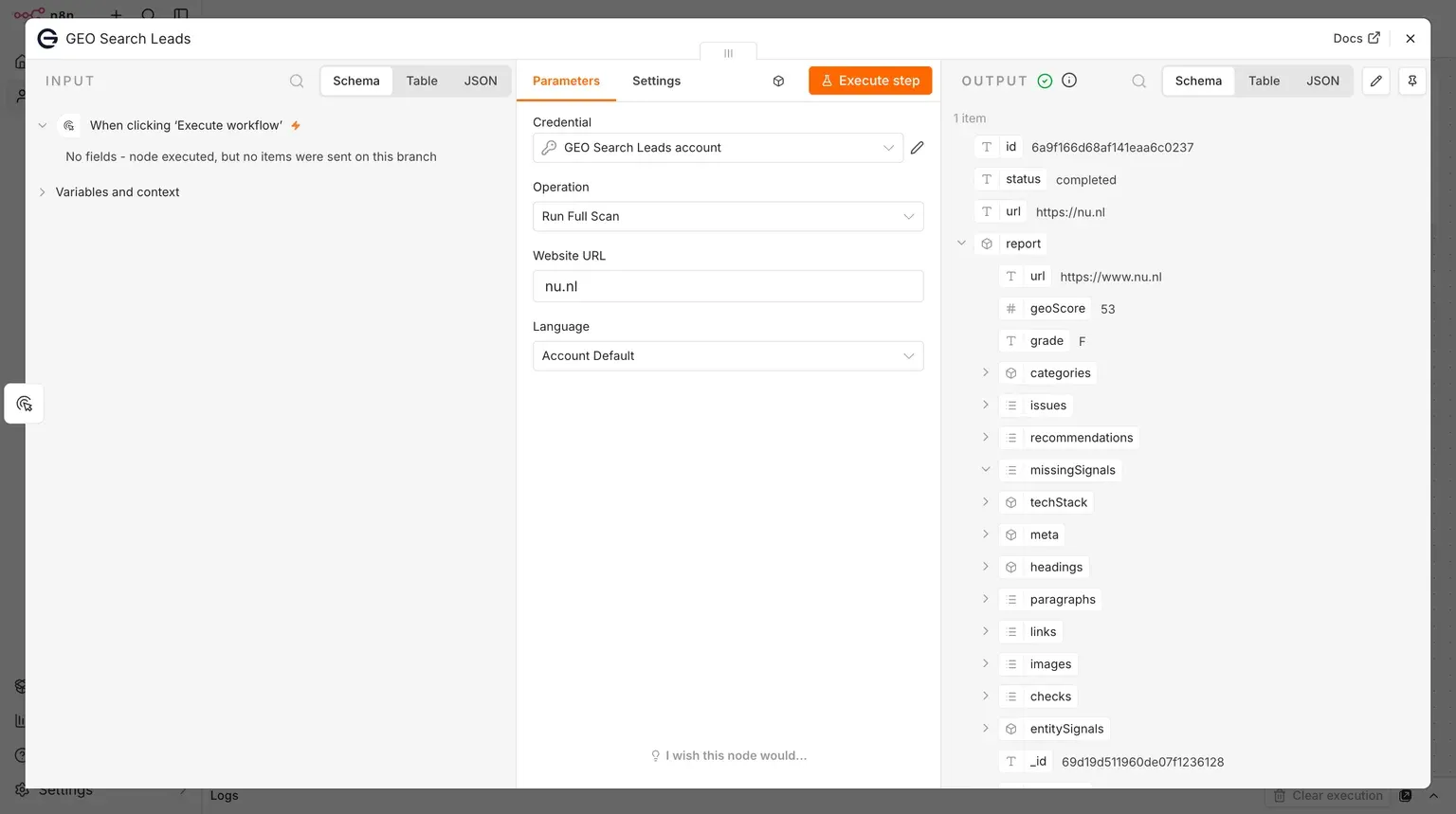
A full scan is the detailed option and costs one credit each time it runs. Its completed output can include a scan ID, status, website URL, and a report with available fields such as geoScore, categories, issues, recommendations, missingSignals, techStack, and checks. Not every scan is promised to contain every type of information.
Get a full report is a retrieval action, not a new assessment. It uses a scan identifier to access an existing scan’s available full report. It does not start a full scan, and it does not convert a lite scan into a full assessment.
Connect your account through authorization
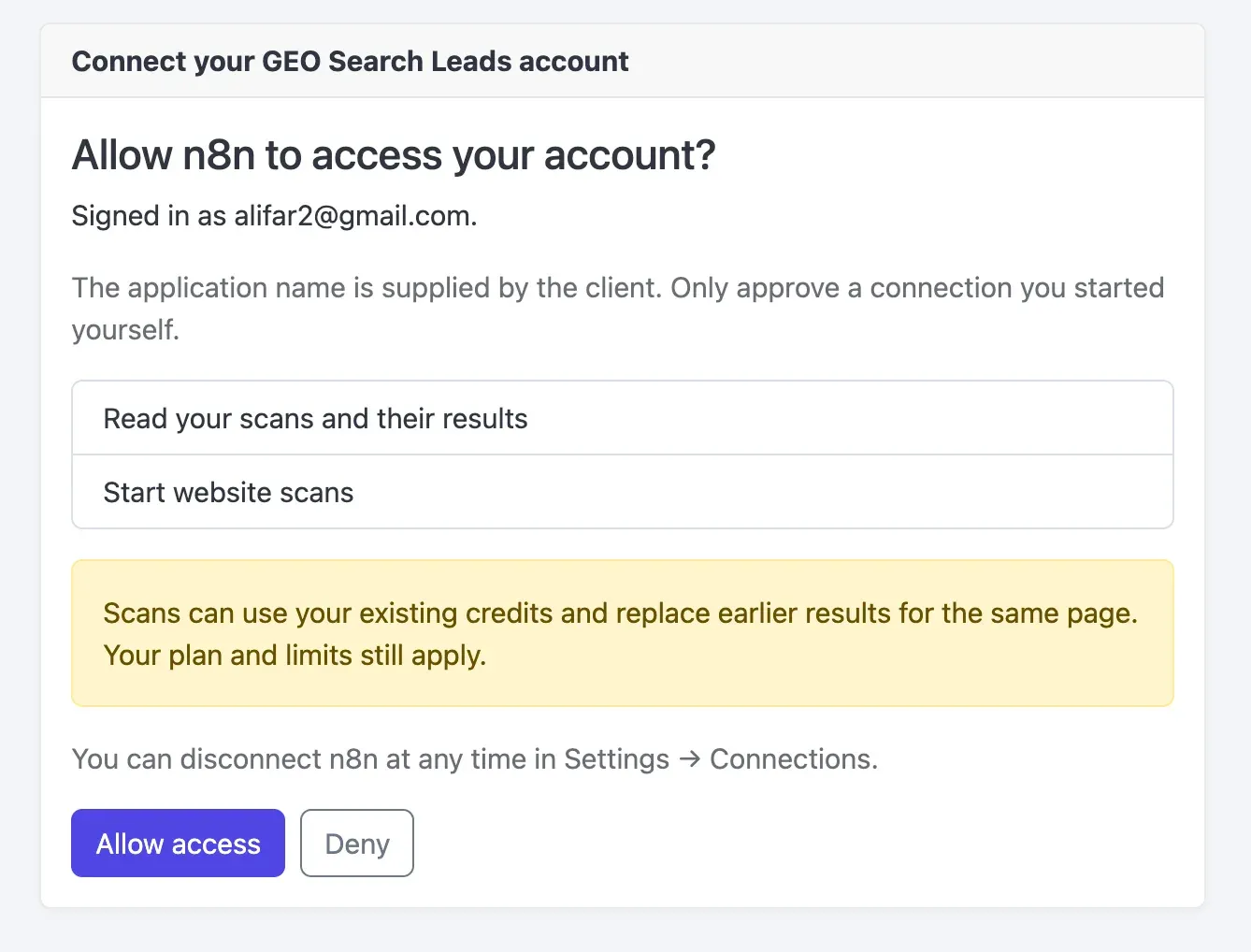
The node uses an account authorization flow rather than manually entered API keys. When creating a credential, sign in when prompted, review the requested access, and select Allow access. The consent screen requests permission to read scans and their results, as well as start website scans.
Account limits still apply. The authorization screen also notes that starting scans can replace earlier results for the same page, so workflows should deliberately control when they initiate a new scan.
Set up a scan step in your workflow
Follow these steps to add the node and run one of the supported operations:
- Open a workflow in n8n and select the option to add a node.
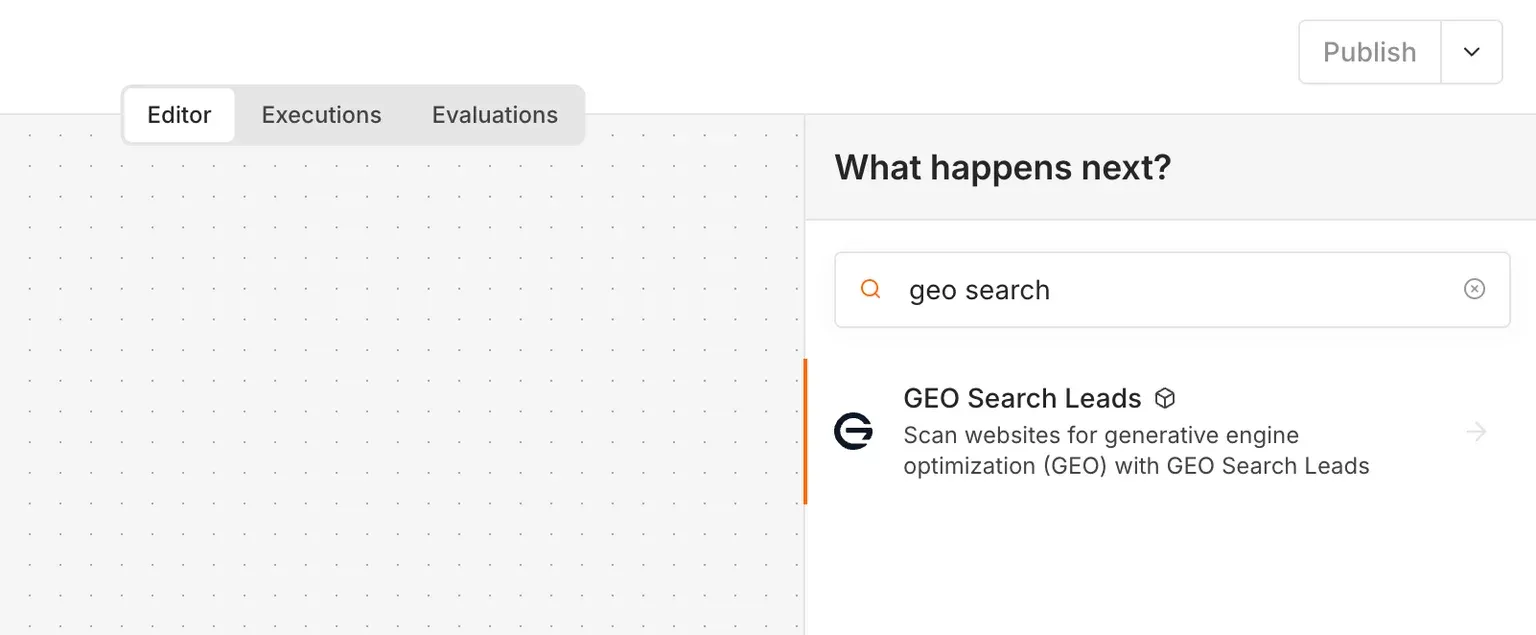
- Search for the verified integration, select it, and complete installation if prompted and permitted in your environment.
- Choose an action: Run a lite scan, Run a full scan, or Get a full report.
- Create a credential through the account connection flow. Sign in, review the permissions, select Allow access, then return to n8n and select the connected credential.
- For a scan operation, enter a website URL or map one from a previous node. Choose the language setting where available; the interface can use Account Default.
- Execute the step and inspect the returned data. Starting with Run a lite scan lets you explore the available output without spending a scan credit.
- When a deeper assessment is needed, use Run a full scan. This action costs one credit per run.
- To reuse an existing detailed assessment, select Get a full report and provide the required scan identifier.
- Map relevant returned fields into later steps, such as a spreadsheet, notification, conditional branch, or AI-generated explanation.
Build deliberate website audit automation
A useful starting pattern is:
Website URL → Lite scan → Review or condition → Optional full scan → Process results
This sequence helps you reserve the one-credit full scan for websites that meet criteria you define. For example, an IF condition can use returned lite-scan data to direct selected URLs to a detailed assessment while allowing other URLs to continue through a separate path.
Other workflow ideas can be built with n8n nodes connected around the scan step:
- Website intake: Receive a URL from a form or webhook and run a free lite scan.
- Selective deeper assessment: Use an IF condition to decide which websites receive a full scan.
- Prospect research: Add returned findings to a spreadsheet or an existing prospect workflow.
- Team notifications: Send a summary of relevant findings through a connected communication service.
- AI-assisted explanations: Pass returned findings to an AI step to create a readable summary grounded in the scan.
- Report reuse: Retrieve an existing full report when another workflow needs its available findings.
These are workflow designs, not additional built-in actions. The node supports the three listed operations, while n8n handles how you route and use their structured output. A GEO score assesses website signals; it does not guarantee rankings, AI citations, traffic, sales, or any other outcome.
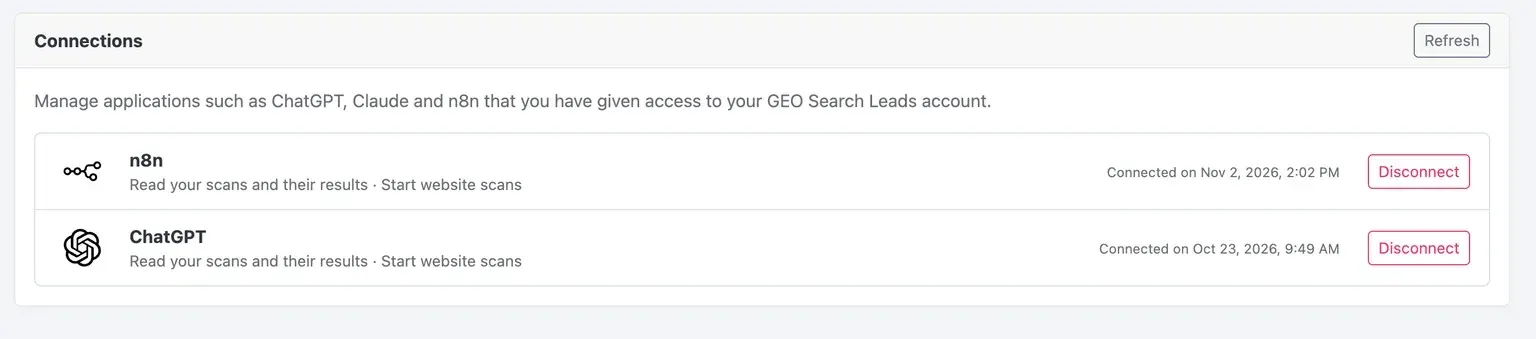
Manage a connected account
You can revoke the connection later in your account by opening Settings → Connections and disconnecting n8n. This provides a direct way to remove the node’s authorized access when a workflow is retired or ownership changes.
Ready to connect your existing account? Sign in to your account.
Frequently Asked Questions
What is the difference between a lite scan and a full scan?
A lite scan provides an initial assessment with the available score breakdown and does not use a scan credit. A full scan provides a detailed assessment with an available report and costs one credit per run. Use the lite result to inform whether a more detailed assessment is needed.
Does Get a full report start a new scan?
No. Get a full report retrieves the available report from an existing scan using its scan identifier, and it does not use scan credits. It does not start a new full scan or turn a lite scan into a full assessment.
What permissions does the account connection request?
The authorization flow requests permission to read scans and their results and to start website scans. You sign in, review those permissions, and select Allow access before selecting the connected credential in n8n.
Can I use a website URL from an earlier workflow step?
Yes. For scan operations, you can enter a website URL directly or map it from a previous node. You can then execute the step, inspect the returned data, and map relevant fields to subsequent workflow nodes.
How can I control when a full scan runs?
Start with a lite scan, then use a review step or an IF condition to decide whether to run a full scan. This makes the detailed one-credit action optional and keeps the decision inside your workflow logic.
How do I remove n8n access later?
Open Settings → Connections in your account and disconnect n8n. This revokes the connection that was created through the authorization flow.
Conclusion
The verified node makes it easier to incorporate an AI visibility audit into the workflow systems you already use: receive a URL, assess it with a free lite scan, apply your own decision logic, and process detailed findings only when a full scan is warranted. Search for the integration in n8n, connect your account, and use a lite scan as the first step in a controlled automation.