
Free Website Rescans and Subpage Scans for 24 Hours
A qualifying domain scan now opens a 24-hour period for eligible rescans and subpage assessments without additional scan-credit cost. Investigate findings, publish changes, and check accessible pages again in one focused workflow.
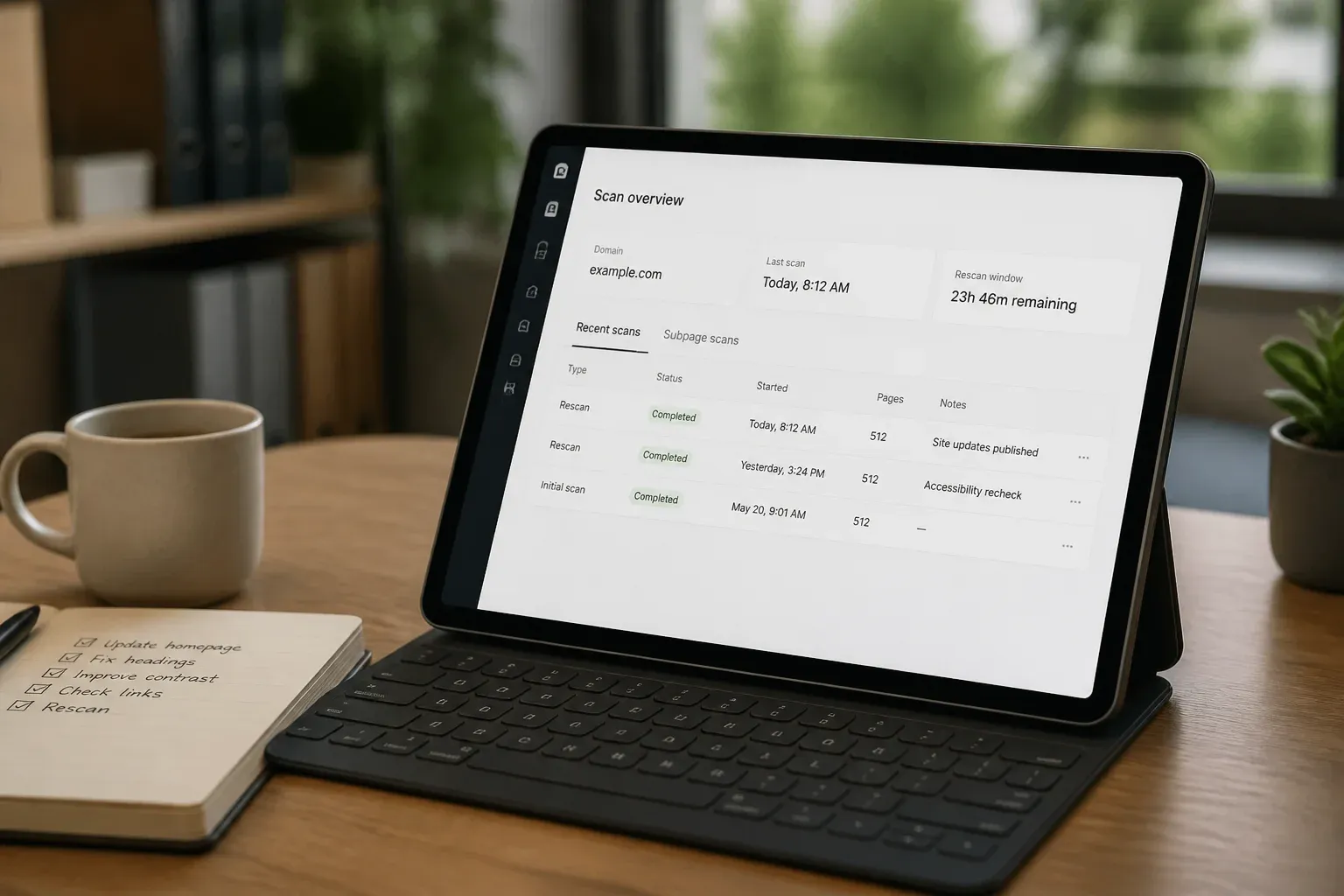
GEO Search Leads now gives you a 24-hour window after a qualifying domain scan to investigate the site more thoroughly without using additional scan credits for eligible rescans and subpage scans. Instead of treating an initial assessment as a final answer, you can review findings, examine relevant URLs, make appropriate updates, and check the accessible pages again while the work is still fresh.
Free in this update means there is no additional scan-credit cost for eligible scans during the active window. It does not mean that initial scans are free, and scanning one domain does not make every domain in your account eligible.
What the 24-hour window includes
Following a qualifying domain scan, the active window supports a focused investigation of that same domain. You can:
- Rescan the website that was previously scanned.
- Submit relevant subpage URLs from that domain for individual assessments.
- Review updated findings after you publish website changes.
- Investigate multiple relevant pages without consuming additional scan credits for eligible scans in the window.
This gives you room to move from a domain-level assessment to the pages that need closer attention. For example, a service page, article, or landing page may warrant its own scan rather than being treated as identical to the main domain.
A subpage scan assesses the specific URL you submit. It does not mean that one scan automatically audits every page on the website. Likewise, the 24-hour period follows the qualifying domain scan. A free rescan does not restart or extend that window.
A more practical investigation cycle
Website improvements are often iterative. A finding may prompt you to inspect visible business information, review relevant structured data, or look more closely at a page's content and presentation. With eligible follow-up scans available during one working period, you can keep that investigation connected to the original assessment.
For website owners, this means you can investigate a reported issue, make a relevant change, publish it, and rescan while the context is clear.
For SEO agencies, the window supports reviewing a client's main domain alongside the pages most relevant to the work at hand. Page-specific findings can help shape a more focused improvement plan instead of relying only on a domain-level view.
For content teams, individual article and landing-page scans help distinguish page-level details from broader website findings. This is useful when a particular page is being updated or reviewed.
For developers, the workflow provides a way to check publicly accessible changes after deployment and investigate whether the relevant findings have changed.
How to use eligible rescans and subpage scans
- Sign in to your account and scan the domain you want to assess.
- Open the completed scan result and review the findings and recommendations. Start by identifying the pages or issues that need closer investigation.
- Check the credit information beside Rescan website. When an eligible free rescan is available, the result shows Rescan within 24 hours · 0 credits.
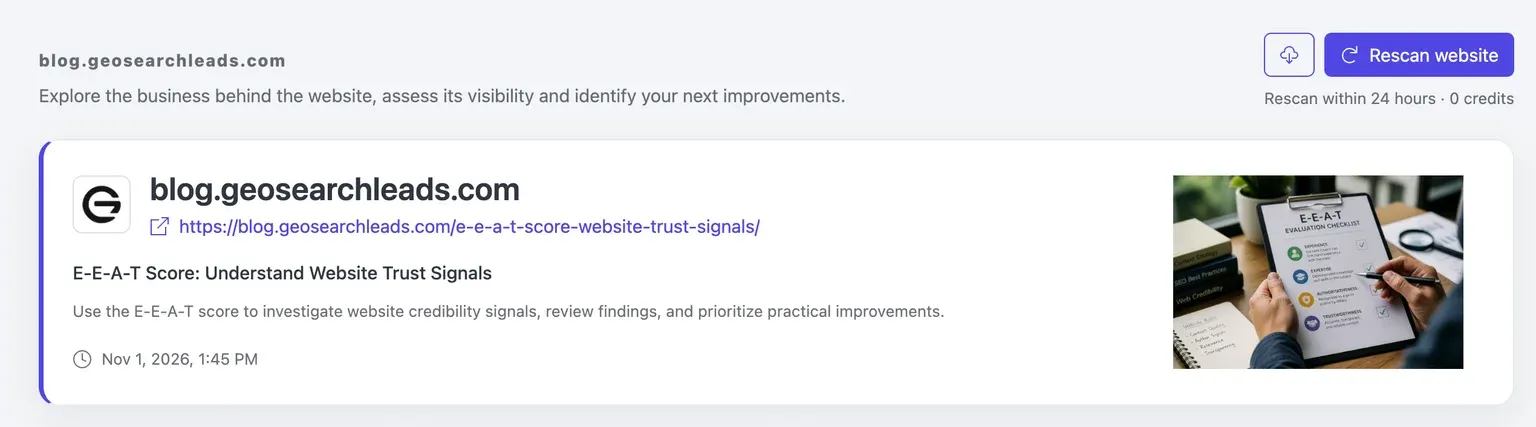
- During the active 24-hour window, submit relevant subpage URLs from the same domain for individual assessments. Choose pages that relate directly to the findings or the work you are planning, such as a service page, article, or landing page.
- Investigate the findings and make appropriate website changes. Depending on the page and recommendations, this may include correcting relevant structured data or clarifying visible business information.
- Ensure the changes are published and publicly accessible before rescanning. A follow-up scan assesses the accessible version of the page.
- Use Rescan website for the current result, or scan the relevant subpage again, while it remains eligible within the active window.
- Review the updated findings against the earlier assessment. This comparison helps you understand what changed and what may still need attention.
- Check the displayed credit cost before starting another scan after the free window expires.
Using the window for a focused page review
Consider a team that begins by scanning its domain and reviewing the resulting findings. The team then identifies a service page and an article that deserve individual assessment. After scanning those URLs, it investigates the page-specific findings and makes a supported improvement, such as correcting relevant structured data or clarifying visible business information.
Once the change is published and publicly accessible, the team rescans the affected page within the active window and reviews the updated findings. This creates a clear sequence: assess, investigate, improve, publish, and check again.
A rescan provides another assessment of the accessible page. It does not automatically improve a score. Similarly, a higher score does not guarantee search rankings, AI citations, traffic, or leads. The value of the follow-up is the ability to examine updated findings and decide what still requires work.
Keep the scope in view
The credit benefit applies within the 24-hour window following a qualifying domain scan and to eligible rescans and subpage scans from that domain. We do not claim eligibility for sibling subdomains, unrelated domains, other accounts, or every scan method.
Before starting any scan, use the displayed credit information to confirm its cost. This is especially important after the active window has expired, when you should check the interface before proceeding rather than assuming a zero-credit rescan still applies.
Ready to continue investigating a recent assessment? Sign in to your account.
Frequently Asked Questions
What does free mean in the 24-hour rescan window?
Free means eligible rescans and subpage scans have no additional scan-credit cost during the active 24-hour window. It does not mean that the initial domain scan is free, and it does not make every domain in an account eligible after one website is scanned.
When does the 24-hour window begin?
The window follows a qualifying domain scan. It remains a 24-hour period from that qualifying scan, and using an eligible free rescan does not restart or extend the window.
Can I scan individual pages during the active window?
Yes. You can submit relevant subpage URLs from the same domain for individual assessments during the active window when they are eligible. This supports closer review of pages such as articles, service pages, and landing pages without assuming that domain-level findings apply equally to every URL.
How can I tell whether a rescan has no additional credit cost?
Check the credit information beside Rescan website on the completed result. When the free rescan applies, the interface shows Rescan within 24 hours · 0 credits. Check the displayed cost before starting a scan, particularly after the active window expires.
Should I publish changes before running a follow-up scan?
Yes. Publish the changes and make sure they are publicly accessible before rescanning. A follow-up scan provides another assessment of the accessible page, allowing you to compare updated findings with the earlier assessment.
Does a rescan guarantee a higher score or better search results?
No. A rescan assesses the accessible page again, but a change does not automatically improve a score. A higher score also does not guarantee search rankings, AI citations, traffic, or leads.
Conclusion
The 24-hour window helps turn an initial assessment into a practical working cycle: review the findings, inspect the pages that matter, publish appropriate changes, and check the accessible results again. By keeping eligible domain and subpage follow-ups together in one period, you can investigate website improvements with clearer context and more deliberate next steps.