
AI Visibility Tool for SEO Agencies: From Research to Client Reports
A connected workflow for agency prospecting, client onboarding, website audits, branded reporting, and configured integrations.

SEO agencies need a practical way to turn website research into useful client conversations. With GEO Search Leads, you can assess a prospect or client site, investigate the signals behind its audit results, identify specific opportunities, and package the work into a workflow your team can repeat.
This update brings website assessments, prospect research, client reporting, page-level investigation, and configurable connections into one agency-focused process. Rather than treating a score as the conclusion, you can use the underlying findings to decide what to investigate, what to recommend, and how to explain the next step.
A website assessment built for agency conversations
A GEO score assesses website signals relevant to AI search. It does not measure guaranteed rankings, citations, or inclusion in AI-generated answers. Its purpose is to give your team a structured starting point for evaluating a site and discussing practical improvements.
The assessment reviews signals such as structured data, machine readability, content quality, and accessibility. Category-level findings and prioritized recommendations help you see what needs attention and why. This gives an account manager, strategist, or sales team more context than a single number when preparing a proposal or reviewing a client website.
You can also explore technical and content checks alongside E-E-A-T signals, business identity, and credibility findings. E-E-A-T refers to experience, expertise, authoritativeness, and trustworthiness signals. Reviewing these areas together can help you frame a clear discussion around the specific website elements worth investigating or improving.
Research prospects with more context
For new-business work, an initial assessment can become the basis for more informed prospect research. Where available, full scan results can include company details, contact information, and Google Maps data. Your team can use this information to understand the business before writing outreach or preparing a discovery call.
The analysis can also identify potential competitors, their likely strengths, and opportunities for the scanned business. Treat this as research to investigate, not as verified competitor rankings. It can help you form useful questions for a prospect, such as whether an important service page is clear, whether the business identity is consistently represented, or whether competitors appear to have stronger supporting content.
Example: preparing a prospecting conversation
Start with a potential client's domain and review the score, category breakdown, and prioritized recommendations. If a full scan provides company or Maps data, use it to add relevant business context. Then turn the findings into a focused conversation about the website areas that may warrant a deeper review, rather than making unsupported promises about search performance.
Take findings from audit to branded deliverable
White-label PDF reports let you present assessment findings with your agency's own logo and company details. They are available on Pro and Business, and can support prospecting, proposals, onboarding, and ongoing client work.
A branded report is useful when the work needs to move beyond an internal review. It gives you a shareable way to present the score, findings, and recommendations as part of a proposal or client discussion. Use the report to explain the areas your team plans to investigate or improve, then connect those actions to the wider SEO and business measurements you already use.
Example: structuring client onboarding
Run a full scan for a new client site, review the technical, content, and credibility findings, and agree on a set of specific improvements. Add your agency details to a white-label PDF report so the client has a clear record of the starting assessment and priorities. After changes are made, run a follow-up scan and review its results alongside your other measurements.
Investigate the pages behind the domain-level result
A main-domain scan can point to areas that need closer attention. After scanning the main domain, you can scan its subpages for free during the following 24 hours. These additional subpage scans do not consume scan credits during that window.
This supports more detailed investigation of service pages, articles, and landing pages. For example, if a domain-level review highlights content or machine-readability questions, you can examine the pages most relevant to a core service or campaign before recommending the next action.
Example: reviewing a key service page
Scan the client’s main domain first. Within the 24-hour window, assess the service page used in sales outreach, a related article, and a campaign landing page. Compare the findings page by page to identify where an agreed improvement should be focused. Previous scans remain accessible in your dashboard, with history limits determined by your subscription.
Create inbound opportunities from your own website
The customizable assessment widget is available from Lite. Add it to your agency website so visitors can start an initial assessment. Widget-sourced scans appear in your dashboard, where your team can review them and decide whether a full scan would be useful for deeper research.
Widget scans do not use monthly scan credits. This separates an initial inbound assessment from the fuller investigation you may choose to perform once an opportunity is worth pursuing.
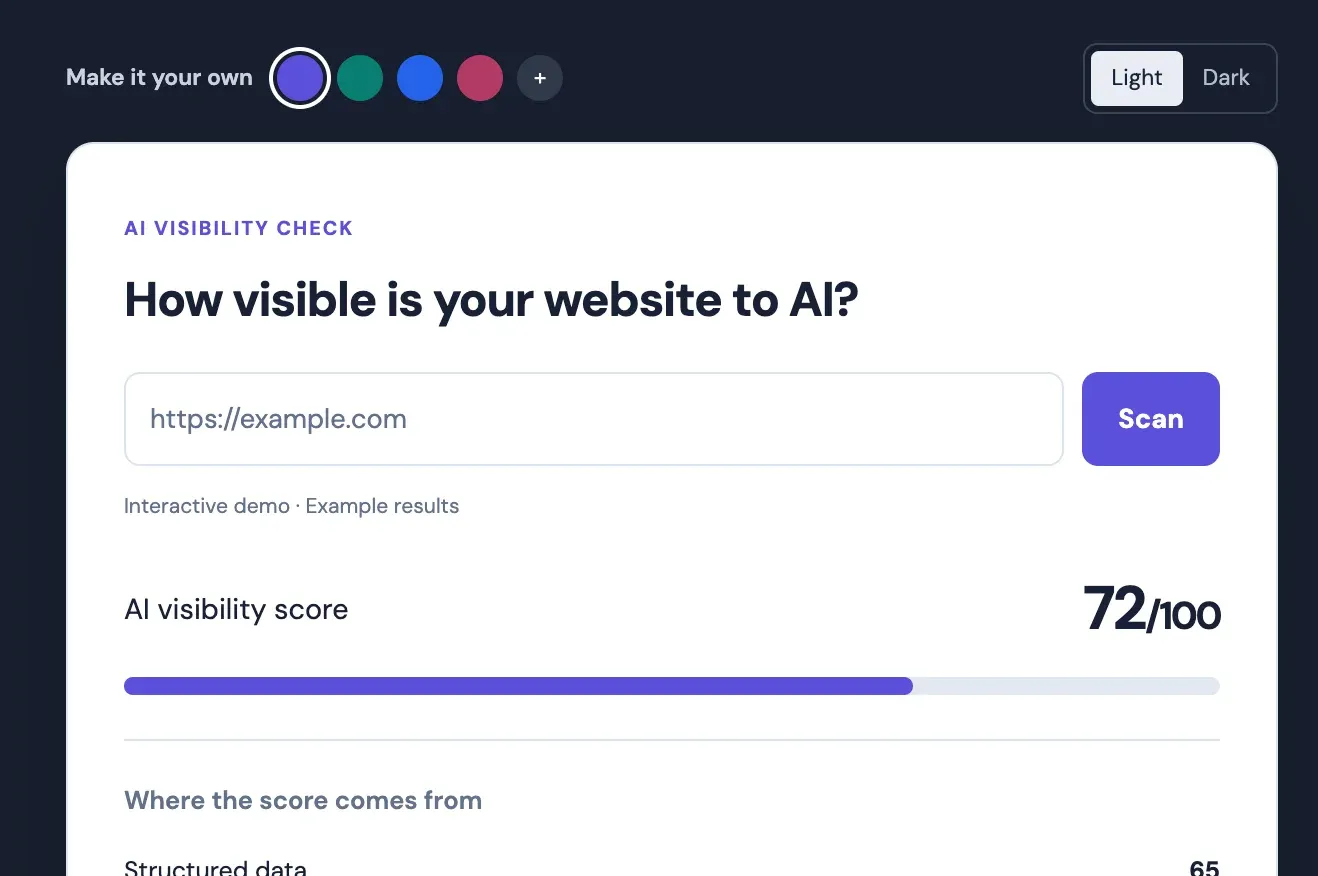
For quick checks away from your dashboard, the free Chrome extension lets you check a website while browsing, review its score and key signals, and access more detailed findings through your account. It can be useful during early prospect research or live client conversations.
Connect repeatable work to your tools
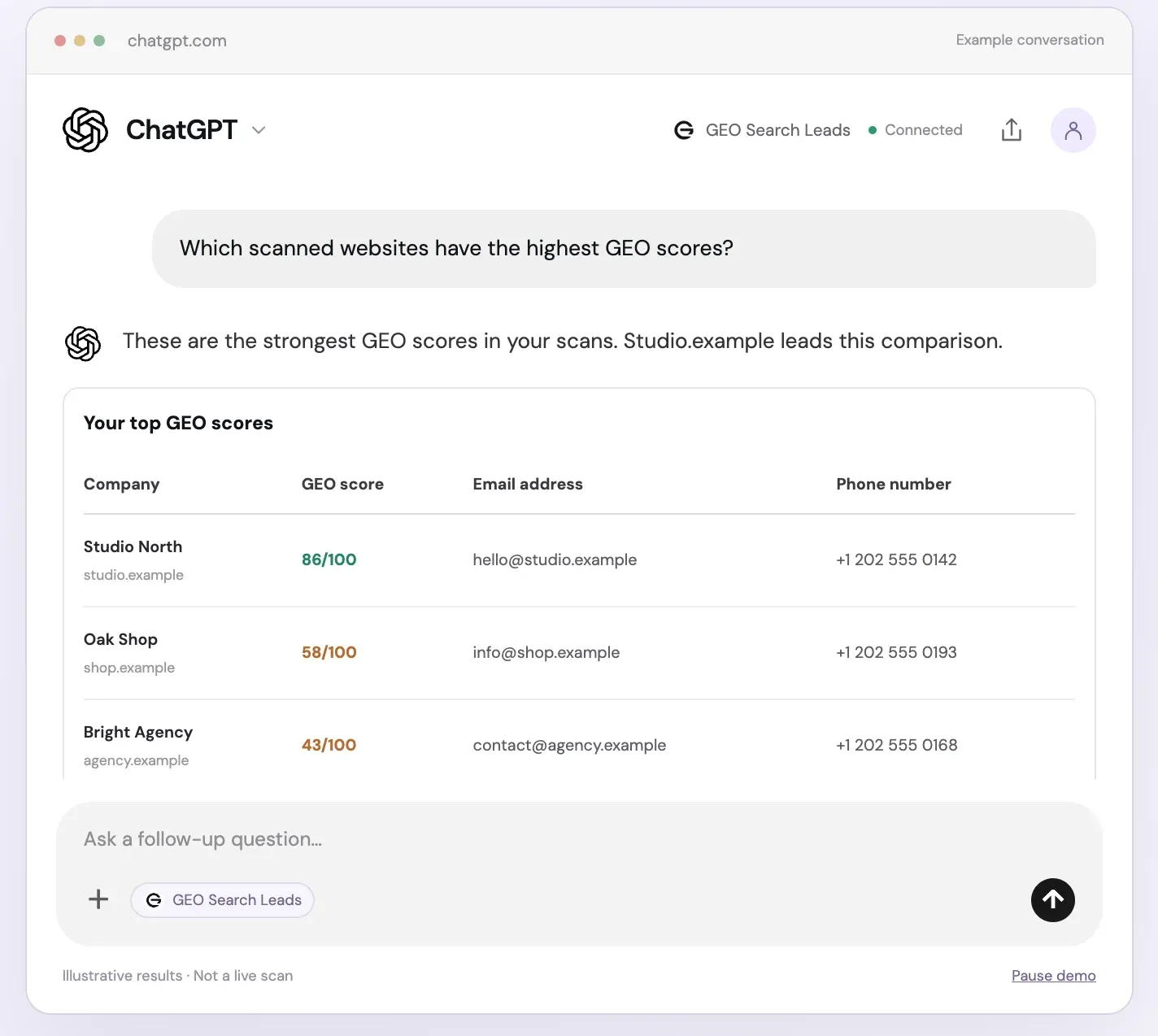
Compatible MCP clients can connect with tools such as ChatGPT, Claude, Gemini, and Copilot. These AI chatbot connections are available on Lite, Pro, and Business. They provide another way to work with scan information through a compatible client; your team configures the connection for its own workflow.
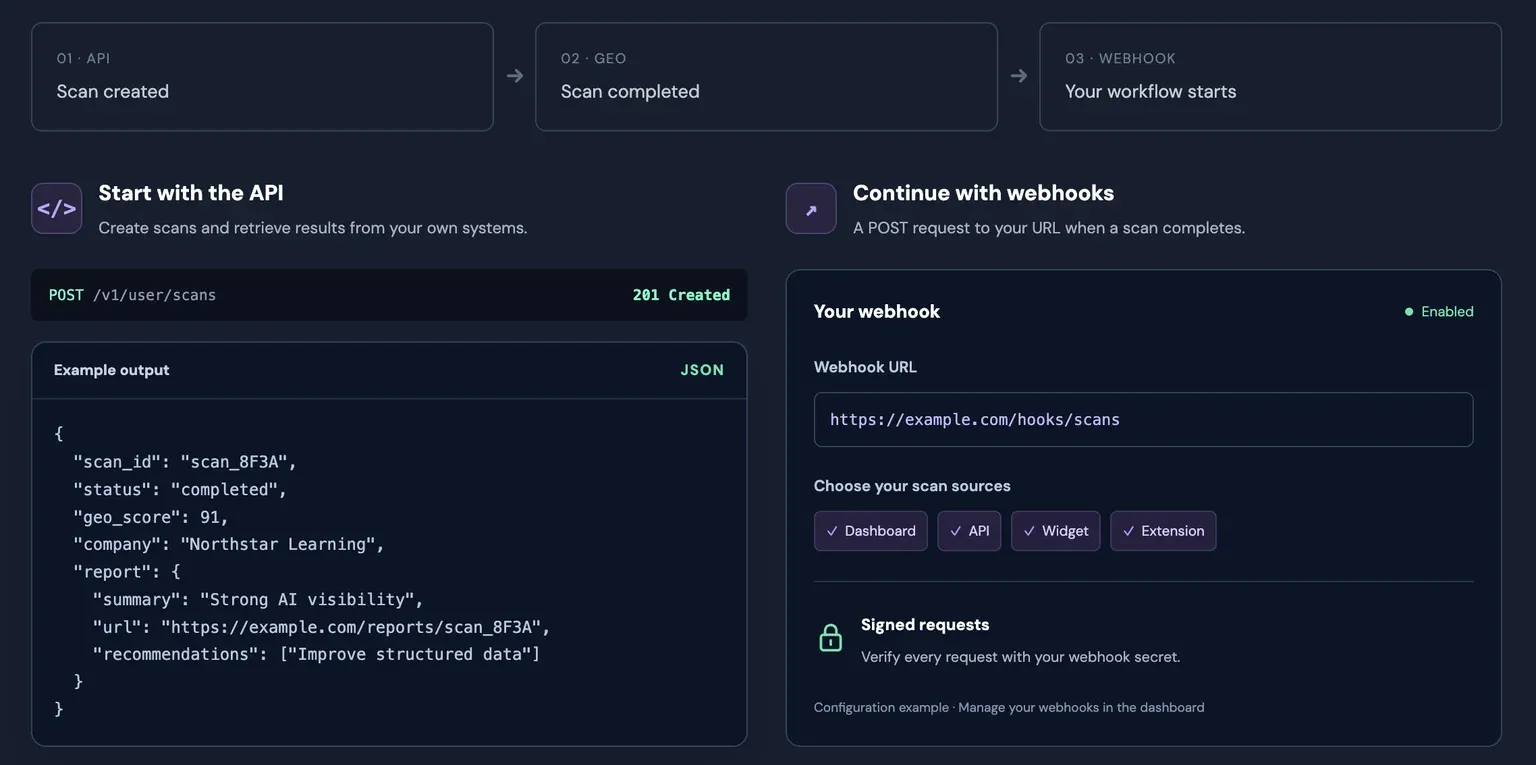
API access and webhooks are available on Pro and Business for agencies that want to build scan creation, result retrieval, and PDF report downloads into their own applications, scripts, or workflows. Webhooks can notify your systems when scans complete. Pro includes 10,000 API calls per month, while Business includes 100,000. These API call allowances are separate from scan credits.
How to use the agency workflow
- Create an account or sign in, then start with a prospect or client website and run an initial assessment. Use a full scan when you need deeper findings.
- Review the score, category breakdown, technical and content findings, credibility signals, and prioritized recommendations. Use these details to prepare a specific discussion rather than relying on the score alone.
- Where available, inspect company information, contact details, Google Maps data, and AI-identified competitor context to support your research.
- After scanning the main domain, investigate relevant service pages, articles, and landing pages within the 24-hour free subpage scanning window.
- On Pro or Business, add your agency logo and company details, then download a white-label PDF report to share with a prospect or client.
- On Lite or above, customize a website widget, add it to your agency site, and review widget-sourced assessments in your dashboard before deciding which opportunities warrant a full scan.
- Install the Chrome extension for fast checks while browsing. If useful, connect a compatible MCP client on Lite or above.
- On Pro or Business, create an API key, review the in-app API documentation, and configure webhooks to connect completed scans with your own workflows.
- Agree on specific improvements with the client. After changes, run a follow-up scan and review the results alongside your other SEO and business measurements.
If you are ready to build this process into your agency work, create an account.
Frequently Asked Questions
What does the GEO score measure?
The GEO score assesses website signals relevant to AI search, including areas such as structured data, machine readability, content quality, and accessibility. It is not a measure of guaranteed rankings, citations, or inclusion in AI-generated answers. Review the category findings and recommendations to understand the context behind the score.
Can agencies use assessments for prospect research?
Yes. An initial assessment can help your team research a prospect before outreach or a discovery call. Where available, full scan results can include company details, contact information, Google Maps data, and potential competitor context. These findings are research inputs to investigate, not verified competitor rankings.
Which plans include white-label PDF reports?
White-label PDF reports are available on Pro and Business. You can add your agency's own logo and company details before downloading a report for prospecting, proposals, onboarding, or ongoing client work.
How does free subpage scanning work?
After you scan a main domain, you can scan its subpages for free within the following 24 hours. Those subpage scans do not consume additional scan credits during that window. This is useful for examining individual service pages, articles, and landing pages after a domain-level review.
What can the website widget do?
The customizable widget lets visitors to your agency website start an initial assessment. Widget-sourced scans appear in your dashboard so your team can review them and selectively run a full scan when deeper investigation is useful. Widgets are available from Lite, and widget scans do not use monthly scan credits.
Are API access and AI chatbot connections available on every plan?
No. Compatible MCP client connections are available on Lite, Pro, and Business. API access and webhooks are available on Pro and Business, with 10,000 and 100,000 API calls per month respectively. API allowances are separate from scan credits.
Conclusion
This connected workflow helps agencies move from initial website research to a more organized client process: assess the site, investigate the findings, examine the pages that matter, explain priorities in a branded report, and configure connections that support repeatable work in your own systems.