
White-Label GEO Audit Reports for Client Delivery
Create client-facing website audit reports under your own company identity. Use findings and recommendations in assessments, reviews, handovers, and your own reporting systems.

We have introduced white-label GEO audit reports in GEO Search Leads, giving agencies, consultants, and service providers a way to present complete website assessments under their own company identity. Add your business logo and company details, then use a client-facing report to communicate findings and recommended priorities without rebuilding the audit in a separate branded document.
A website audit can contain technical findings that are useful to a delivery team but difficult to turn into a polished client deliverable. This update helps you keep the assessment, its explanations, and your business presentation together, so the report can become a practical reference throughout a client engagement.
What the white-label report includes
The report presents an assessment of a website alongside its findings and recommendations. It is designed to make the audit easier to discuss with clients while retaining the detail needed to identify priorities.
The supplied report example shows how a company identity can appear alongside the assessed website, an overall GEO score, a count of priority improvements, and actionable recommendations with supporting explanations. The company, website, and numerical values shown in that example are illustrative rather than results you should expect for another assessment.
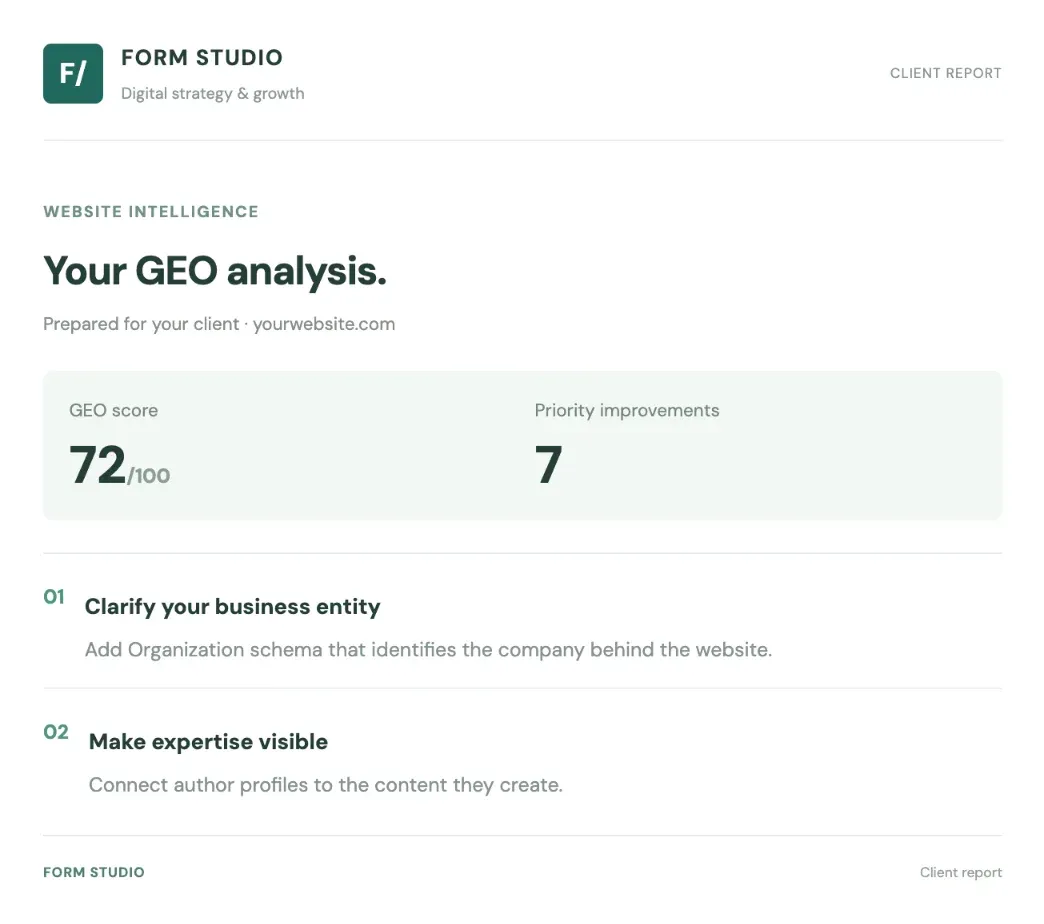
The goal is not to replace the conversation around an audit. Instead, it gives that conversation a consistent document: one that identifies the website assessed, records the findings at that point in time, and provides recommendations your team can review with the client.
Why branded audit delivery matters
Manually repackaging findings into another document can add work and create opportunities for details to be lost or presented inconsistently. Applying your company identity directly to a complete audit helps reduce that repackaging step while giving client communications a presentation that fits your business.
This supports several practical benefits:
- Consistent presentation: Your logo and business details appear on the report you use with clients.
- Clearer discussions: Findings, priority improvements, and recommendations are available in one assessment document.
- Less manual preparation: You can use the report for client communication instead of rebuilding the audit in a separate branded deliverable.
- Shared working reference: Account, content, and technical teams can use the same report when discussing what to address.
- Flexible reporting workflows: Reports can also be requested through the API for use in systems you operate.
An audit score is an assessment measure within the report. A higher score should not be treated as proof of improved rankings, AI citations, search traffic, or revenue. When reporting progress, explain what changed in the assessment and keep measured business outcomes separate unless you have independently measured them.
Put reports to work across the client lifecycle
A branded audit is useful at more than one stage of a project. The same type of deliverable can support different conversations, depending on when you create and review it.
Establish an initial baseline
Use an initial client audit to document the website's starting condition and highlight improvements that deserve attention. This gives the client and delivery team a shared reference before work begins. It can also help frame the scope of a discussion without automatically becoming a proposal or quote.
Support onboarding and project planning
During onboarding, the report can align stakeholders on the assessed website, identified priorities, and recommended areas of work. Teams can use it as a common reference when deciding how to sequence tasks or explain why certain improvements matter.
Review progress in context
For a before-and-after review, create one audit before implementation and another after changes have been made. These are separate assessments from different points in time, not an automatically generated side-by-side comparison.
To make the comparison meaningful, keep the website or page scope consistent and consider whether the assessment methodology has changed. Review differences in findings and scores in context rather than attributing every change to a particular piece of work.
Close projects with a useful handover
At handover, a report can provide a branded record of the assessment and any remaining recommendations. It can also support recurring project reviews by giving you reports created at different stages of the engagement to discuss with the client.
How to prepare and use a white-label report
Follow this workflow to create a report that is ready for your client process:
- Prepare your company identity. Gather the company logo and business details you want displayed on the client report. This ensures the report reflects the identity you use in client-facing communication.
- Apply those details to a full website audit. Use the white-label reporting functionality to apply your company information to the assessment. We do not prescribe navigation paths, field names, or button labels here, so use the options available in your account.
- Review the completed report. Before delivery, check the company identity, assessed website, findings, and recommendations. This review helps ensure the document is appropriate for the client conversation you intend to have.
- Use it at the right project stage. Bring the branded report into an initial assessment, onboarding discussion, project review, or handover according to your established client process.
- Create separate audits for before-and-after discussions. Produce an initial audit before implementation and a later audit after changes. Keep the assessed scope consistent, then compare the findings with the relevant project context. Generating two reports does not create a comparison report automatically.
- Request reports through the API when needed. If you want to incorporate reporting into your own application or process, use the API to request reports. Consult the actual API documentation for authentication and supported request details rather than relying on assumed endpoints, parameters, or payloads.
- Explain findings carefully. Walk the client through the recommendations and distinguish improvements in the audit assessment from measured outcomes such as rankings, search traffic, or AI citations.
Incorporate reporting into your own systems
The API option lets you request white-label reports as part of a workflow you build and manage. This can be useful when reporting needs to fit existing client processes rather than being handled only as a manual dashboard task.
For example, your own team could request a report from an internal application, make it available within a client portal you operate, or connect report retrieval to an existing project workflow. These are integration possibilities, not built-in portal, CRM, scheduling, or email features. Your team is responsible for implementing them in your systems.
This approach can be particularly helpful for service businesses that need reporting to match their established operating process. It preserves the core purpose of the update: delivering the website assessment with your company identity while allowing you to decide where that deliverable belongs in your workflow.
If you already use our audits in client work, sign in to your account to prepare your next branded report.
Frequently Asked Questions
What is a white-label GEO audit report?
A white-label GEO audit report is a complete website assessment presented with your business logo and company details. It includes the assessed website, audit findings, and recommendations in a format intended for client-facing communication, helping you avoid manually rebuilding the findings in a separate branded document.
What can I use these reports for?
You can use them for initial client assessments, onboarding discussions, project reviews, handovers, and internal collaboration. They can also support proposal conversations by providing audit findings, although the report does not automatically create a proposal or quote.
Can I compare a report from before work with one created afterward?
Yes, you can create separate audits before and after implementation and review their findings in context. Keep the assessed website or page scope consistent, and consider whether the assessment methodology changed. The feature does not automatically create a side-by-side comparison or calculate score differences.
Does a higher audit score prove improved search performance?
No. A higher audit score reflects the assessment represented in the report, not proof of improved rankings, AI citations, traffic, or revenue. Discuss score and finding changes separately from measured outcomes, using performance data only where you have actually measured it.
Can I request white-label reports through the API?
Yes. You can request reports through the API and incorporate them into an application or reporting process you operate. Follow the actual API documentation for authentication and supported request details; integration implementation remains part of your own systems and workflows.
Conclusion
White-label reporting gives you a more direct path from website assessment to client communication. By combining your company identity with audit findings and recommendations, you can use a consistent deliverable across assessments, onboarding, progress conversations, handovers, and reporting workflows you build around your own business processes.